Products and unit costs
Amazon does not know what your goods cost you. You tell Nexus once per SKU, and cost of goods follows every sale.
Checked against the product on 2026-11-04
Step 1: Why costs come first
Cost of goods is the units sold times the unit cost you set for the SKU. A settlement that sells a SKU with no cost waits for its cost-of-goods entry, so set costs before your first settlements are composed.
Step 2: Start from the template
Download the item template and fill one row per SKU with sku, name, landed_cost, opening_qty and uom. Once settlements are in, you can also type a cost beside each SKU that Nexus has seen in them.
Sample data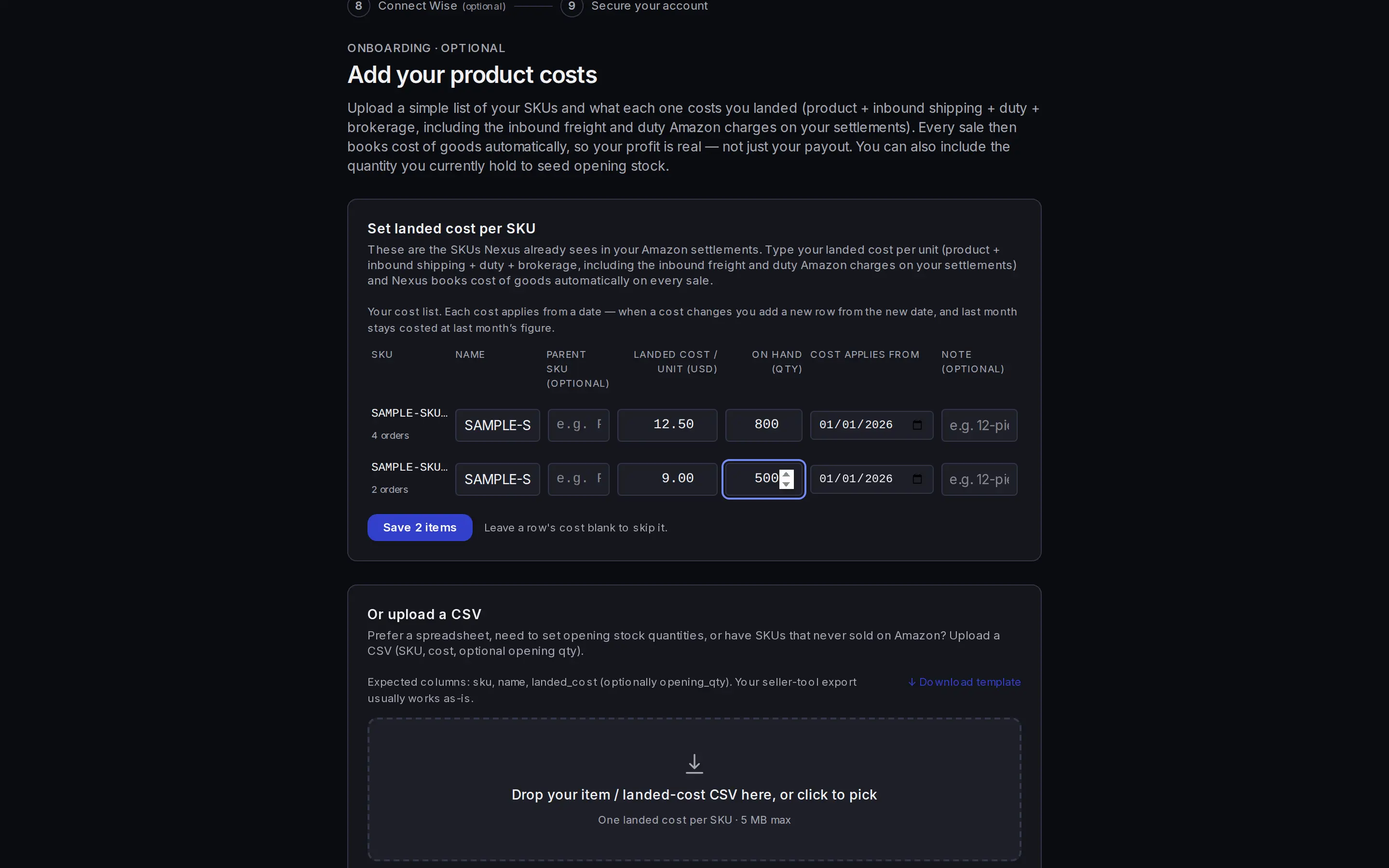
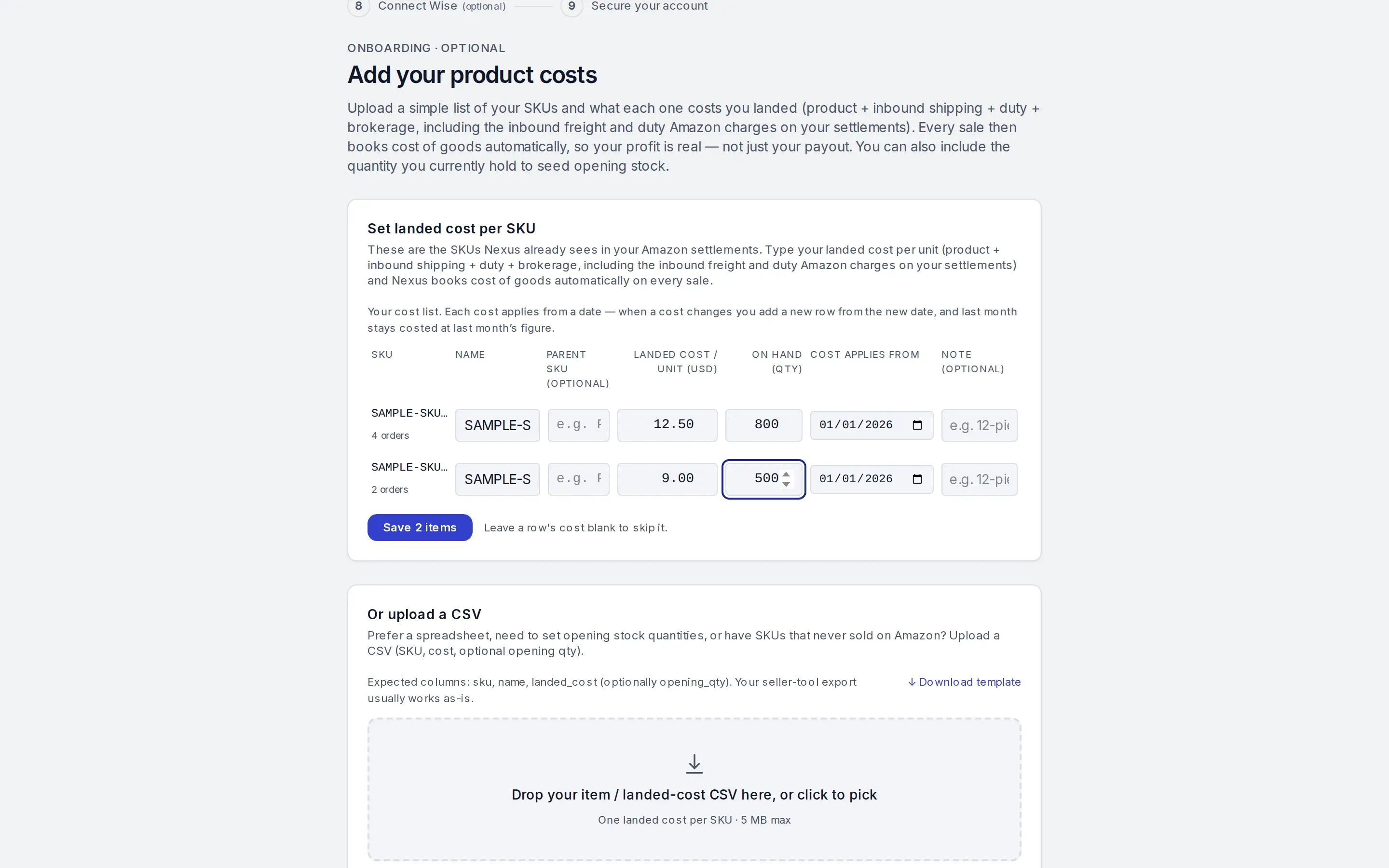
Enter a unit cost for each SKU. Step 3: Enter the landed cost
Landed cost is what one unit costs you delivered: the product, inbound shipping, duty and brokerage.
Step 4: Add opening quantities if you hold stock
Fill opening_qty to book the stock you hold on day one. Your opening stock is then booked on your items' inventory accounts.
Step 5: Upload and review
Drop the CSV on the page. Nexus lists what it will import, and a SKU that already exists is kept as it is.
Step 6: You can skip, with a cost
Skipping is allowed, but every settlement that sells an unpriced SKU waits for its cost-of-goods entry until that SKU has a cost.
Step 7: Price or change a cost later
Open Inventory to add or change a cost for a SKU. A cost applies from the date you give it. The settlement page tells you whether a waiting cost-of-goods entry rebuilds by itself or needs a Rebuild.


Common questions
Do I need opening quantities?
No. They are optional. Add them only if you want your opening stock booked from this file.
Can I change a cost later?
Yes, under Inventory. A cost applies from the date you give it.